Industrial Development Model
Underwrite logistics development using area-based rents, construction spend, financing and exit valuation.
- Editable formulas and assumptions
- Base and downside cases
- Model-specific reconciliation checks
- Property cash flow, financing and equity returns
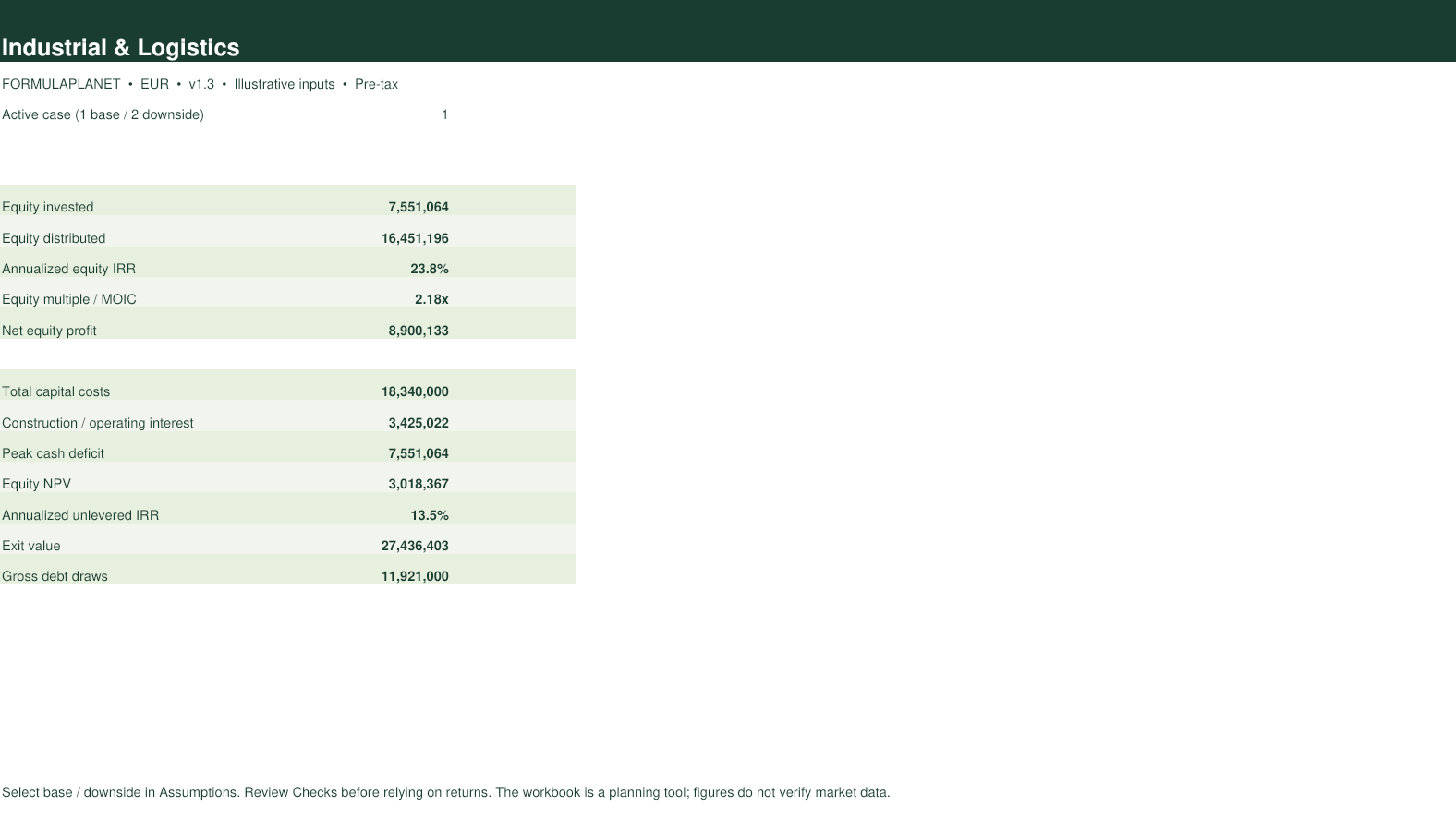
Updated 27 September 2026. The screenshots are generated from the actual workbook. Illustrative defaults must be replaced and independently reviewed for live decisions.
From assumptions to an auditable investment case.
An area-based development model for logistics and light-industrial projects. It connects lettable area and annual rent per square metre with development expenditure, debt, stabilised income and exit proceeds.
How to use it
- Read the ReadMe and Checks sheets before changing inputs.
- Enter industrial project costs, completion timing, rental or room income, occupancy, operating costs and financing.
- Review the Monthly, Annual and Lender sheets for construction, lease-up, cash flow, refinancing and exit proceeds.
- Compare the base and downside cases and review the Sensitivity sheet.
- Review each check against its stated expected result, then independently verify assumptions and formulas before using the dashboard.
Worksheets included
Built for the full deal team
Quality controls
The Checks sheet reconciles capital costs, the debt roll-forward and final debt balance, and checks the dashboard IRR calculation. The forecast supports construction and lease-up within a maximum of 120 months.
Questions about the Industrial Development Model
What does the Industrial Development Model calculate?
An area-based development model for logistics and light-industrial projects. It connects lettable area and annual rent per square metre with development expenditure, debt, stabilised income and exit proceeds.
What is included in the download?
An editable .xlsx workbook with Dashboard, Assumptions, Monthly, Annual, Lender, Sensitivity, Checks, ReadMe worksheets.
Does the price include professional use?
Yes. The workbook licence covers internal and client analysis for one organisation, without a subscription. Reselling or redistributing the template is excluded.
Does the workbook contain macros?
No. Calculations use visible spreadsheet formulas and the file contains no VBA.
How do I enter my assumptions?
Enter industrial project costs, completion timing, rental or room income, occupancy, operating costs and financing. Input cells are visually distinguished from formulas; follow the ReadMe instructions.
Can I test a downside case?
Yes. Use the base/downside case selector and review the workbook’s Sensitivity sheet. The available assumptions depend on the model.
Which quality controls are included?
The Checks sheet reconciles capital costs, the debt roll-forward and final debt balance, and checks the dashboard IRR calculation. The forecast supports construction and lease-up within a maximum of 120 months.
Can I rely on the default assumptions?
Defaults are illustrative, not current market evidence. Replace and independently verify them for every live transaction.
Which Excel version is recommended?
Use a current desktop release of Microsoft Excel. LibreOffice may format or calculate some financial functions differently.
Which version will I receive?
Your order confirmation provides the purchased workbook, currently v1.3, updated 27 September 2026.